Authentication
Email, Google Sign-In, verification, and secure persisted sessions.
Easy Invoice
Create professional invoices, track payments, and export PDFs — free on Android and web. Easy Invoice by FluvoSoft is built for small businesses and freelancers in USA and worldwide.
0+
Templates
0%
Free
0-tap
PDF Export
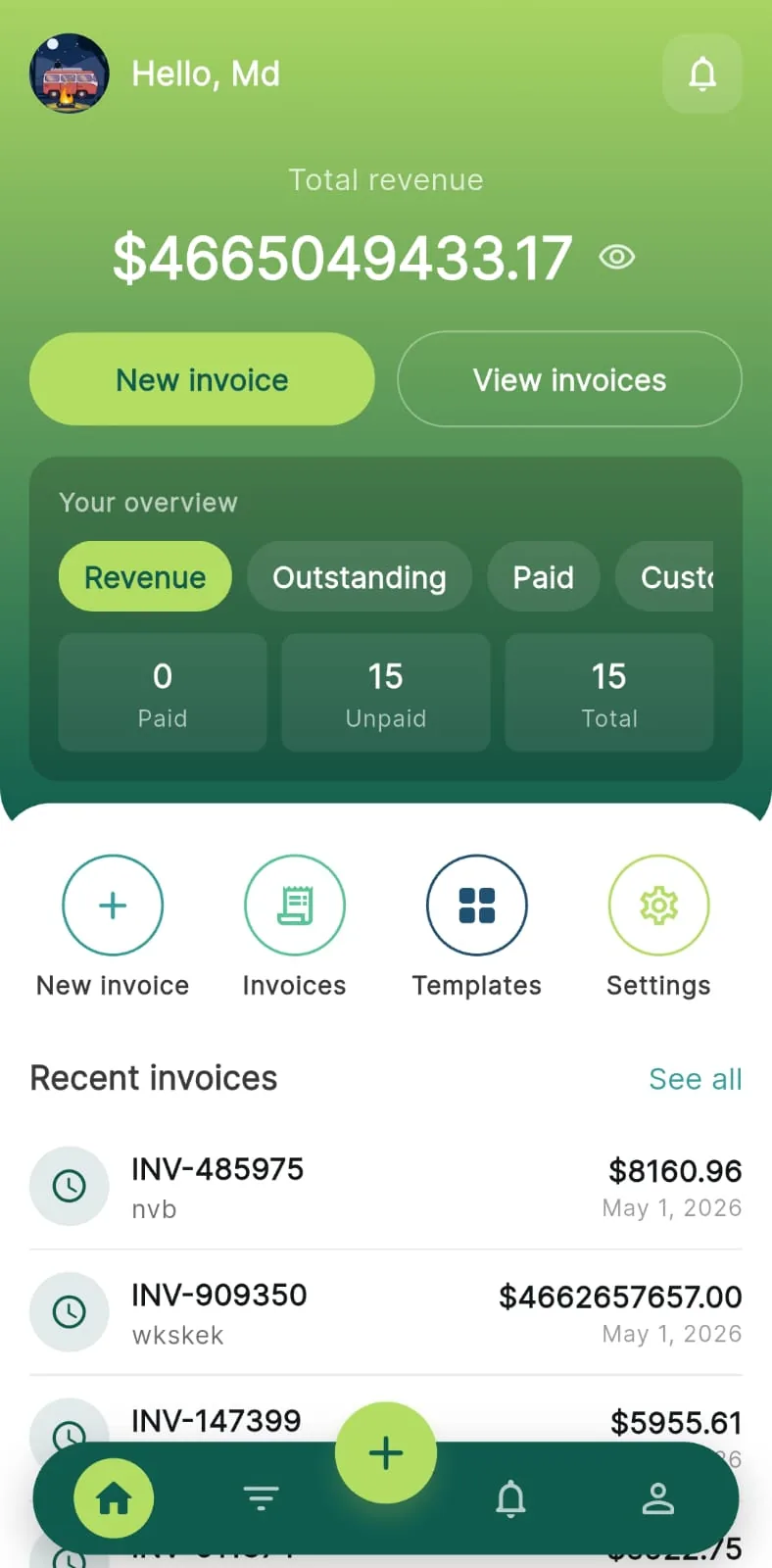
The dashboard gives you a real-time overview of revenue, paid and unpaid totals, invoice counts, and month-over-month trends — plus charts, a client activity heatmap, and quick actions so you always know where your business stands.
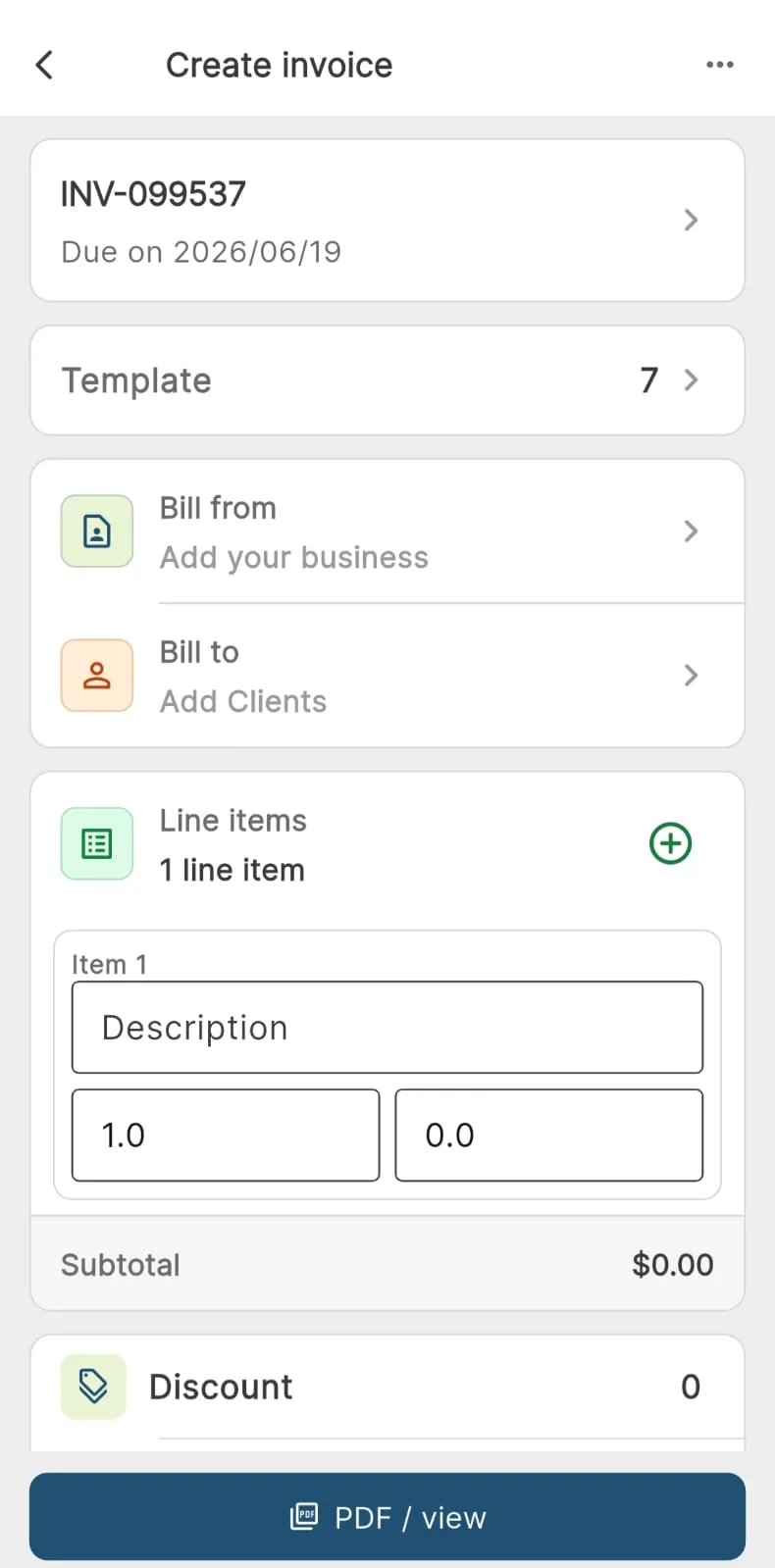
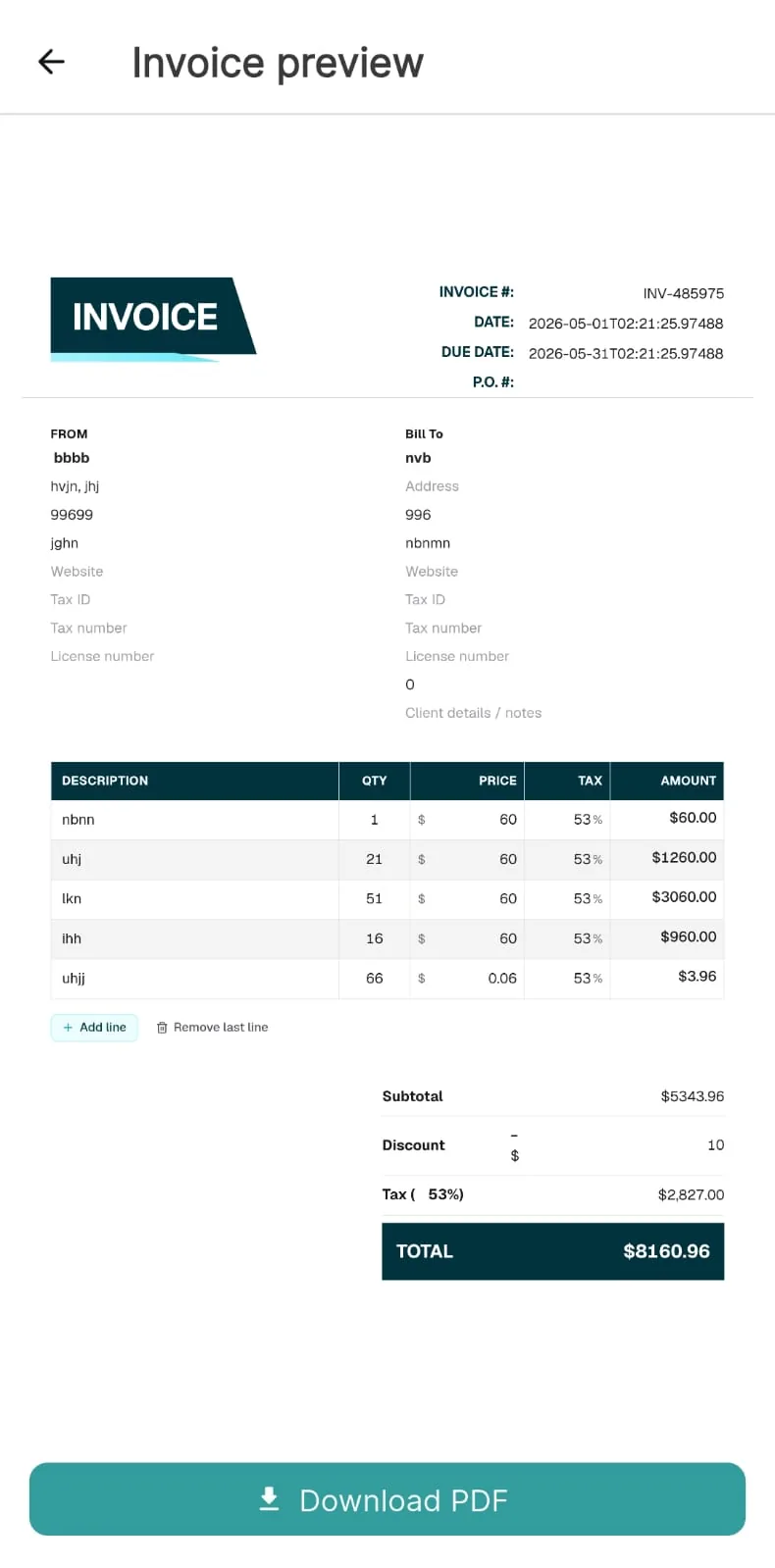
When it is time to bill, open the create-invoice flow: add clients and line items, apply tax and discounts, choose payment methods, and preview your document live before you save or share it.
The dashboard gives you a real-time overview of revenue, paid and unpaid totals, invoice counts, and month-over-month trends — plus charts, a client activity heatmap, and quick actions so you always know where your business stands.
When it is time to bill, open the create-invoice flow: add clients and line items, apply tax and discounts, choose payment methods, and preview your document live before you save or share it.
Choose from 20 branded invoice templates with a live preview during onboarding or anytime in settings. Pick the layout that fits your shop and set it as your default for new documents.
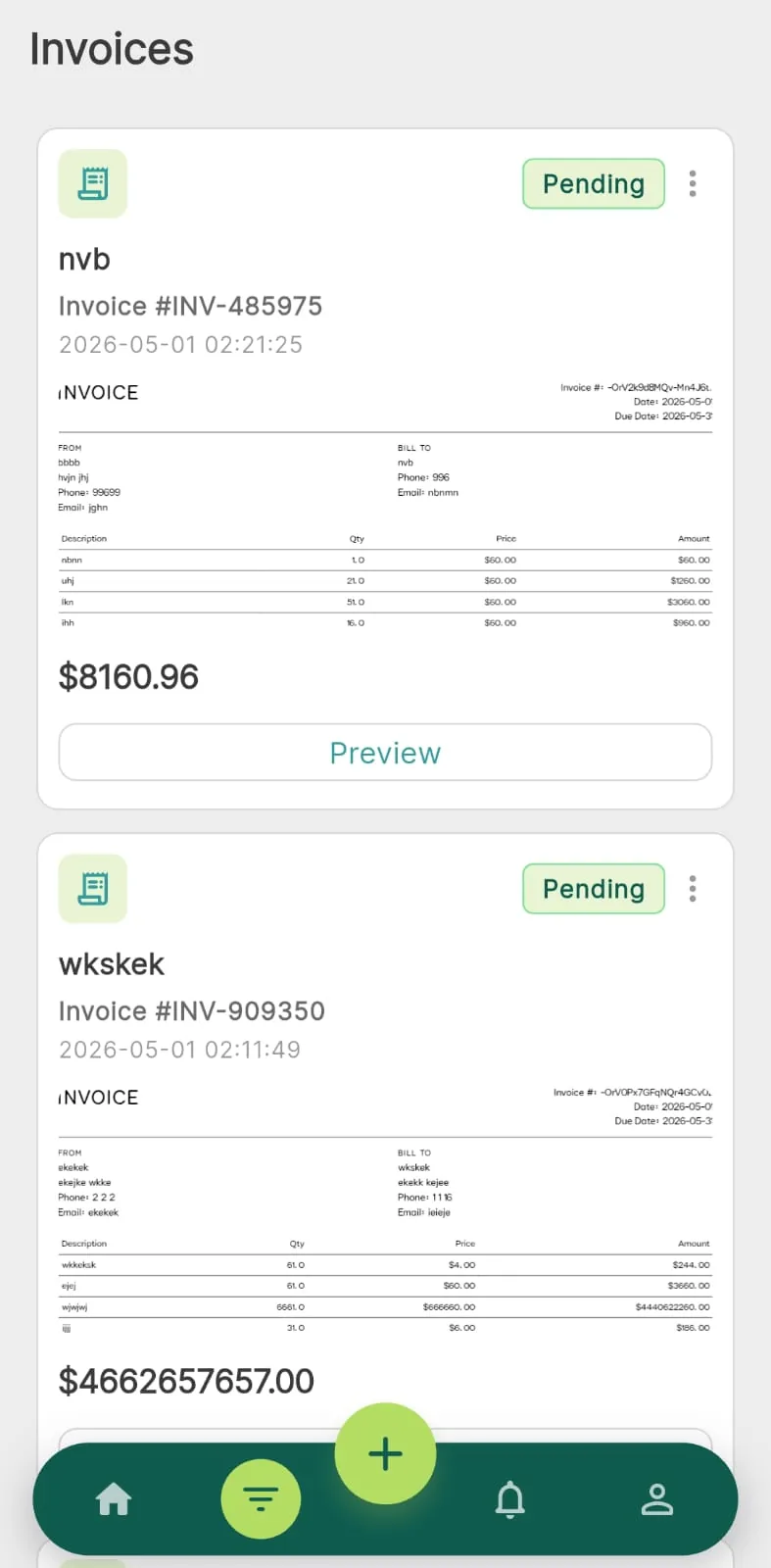
Your invoice library keeps every document organized — view drafts, sent, paid, and overdue items in a clean grid or list, duplicate past invoices, and stay synced with Firebase and the cloud.
Choose from 20 branded invoice templates with a live preview during onboarding or anytime in settings. Pick the layout that fits your shop and set it as your default for new documents.
Your invoice library keeps every document organized — view drafts, sent, paid, and overdue items in a clean grid or list, duplicate past invoices, and stay synced with Firebase and the cloud.
From sign-up and onboarding to invoicing, analytics, and notifications — built for Android and web.
Email, Google Sign-In, verification, and secure persisted sessions.
Intro carousel, shop profile setup, and template selection with live preview.
Responsive navigation — sidebar on desktop, bottom nav on mobile.
Revenue overview, trends, heatmaps, top clients, and recent invoices.
Grid and list views, statuses from draft to paid, duplicate and cloud sync.
Line items, tax, discounts, 20 templates, live preview, and PDF export.
Profile, default template, password reset, licenses, and sign out.
In-app inbox with unread badges so you never miss an update.
Quick answers about sign-in, invoicing, templates, and how the free app works.
You can sign up with email and password or use Google Sign-In. After sign-up, verify your email before entering the app. Forgot-password and reset flows are built in, and your session stays persisted when you reopen the app. Sign out clears both Firebase and Google sessions.
New users see a splash screen that routes to intro, shop setup, or home based on auth and onboarding state. The intro carousel has four slides. You then set up your shop profile (name, location, owner details, customer type) and choose from 20 server-hosted invoice templates with a live preview. Progress is saved to Firebase Realtime Database.
Yes. The app shell adapts to screen size: sidebar and top bar on wide layouts (desktop/web), bottom navigation on mobile. You get quick access to new invoice, settings, and notifications. AdMob banner ads appear on wide layouts in the native app, not on web.
The dashboard shows revenue overview (paid vs unpaid), invoice counts with month-over-month style changes, a trend chart and analytics carousel, an invoice activity heatmap for the current month, top clients by revenue, and a recent invoices list. Pull-to-refresh keeps data up to date.
View invoices in a grid on wide screens or a list on narrow screens. Create, edit, duplicate, and delete invoices stored in Firebase. Statuses include Draft, Pending, Paid, Overdue, and Cancelled in the UI (stored as draft, sent, paid, and related values). If HTML upload to S3 fails, you can retry sync from the app.
Add business info, clients (saved in Firebase), invoice details, line items with quantities and amounts, subtotal, tax, and discount, plus currency and payment methods (Cash, Bank transfer, Card, Bkash, Nagad, PayPal, Other). Attach images, pick a status, choose from 20 templates, and preview live via server-rendered HTML. Save to Firebase, sync drafts to the backend, then download or share a PDF.
There are 20 server templates (invoice_fluvo_1 through invoice_fluvo_20). You can set a default template in Settings. PDFs are generated on the server with a presigned download link, with a local export fallback when needed.
From the More screen in the invoice flow you can set invoice language to English, Bangla, Hindi, or Arabic. Push notifications can be toggled via FCM, and support email is available from the same area.
Settings shows your account summary (name, email, photo from Firebase), reset password, default invoice template, open-source licenses, and sign out.
Easy Invoice includes an in-app notifications inbox with an unread badge on the entry point so you can see what is new at a glance.
Yes. There are no subscriptions or paid tiers. The app is supported by Google AdMob — optional rewarded ads on certain actions (such as editing an invoice) and banner ads on wide screens in the native app. Web users do not see banner ads.
Easy Invoice has no monthly fees, no premium tiers, and no paywalls on essential features. Optional Google AdMob ads keep invoicing accessible for every business.
Easy Invoice
Full access to invoicing, templates, analytics, and cloud backup — at no cost.
| Feature | Easy Invoice | Typical apps |
|---|---|---|
| Monthly subscription | None — $0 forever | $9–$30/mo |
| Invoice templates | 20 included free | Limited on free tier |
| PDF export | Included | Often paywalled |
On supported actions — such as opening an invoice for edit — you may choose to watch a short Google ad to continue. Watching is optional and keeps core invoicing free for everyone.
In the native mobile app on wide layouts, a small AdMob banner may appear. Banner ads are not shown on the web version.
Prices and ad placements may vary by platform and region. Easy Invoice remains free — ads are the only monetization.
Easy Invoice keeps your invoicing data secure and in sync across devices. Here’s a quick, plain-language view of what we collect and why. For the full policy, see fluvosoft.com/privacy.
Easy Invoice (“the App”) is provided by FluvoSoft Ltd.. This section summarizes how we handle information when you use the App.
We do not sell your personal information. We process data to run the App, provide invoicing features, and keep your account and records in sync across devices.
The App requests permissions only when a feature needs them:
Denying a permission may limit related features but core invoicing remains available.
We share information with service providers only as needed to run the App, including:
These providers process information under their own privacy policies. We share only what is needed to provide the App. See our full privacy policy for more detail.
If you created an Easy Invoice account, you can request deletion of your account and associated personal data:
After deletion, we remove personal data from active systems within a reasonable period, typically within 30 days. Backup copies may persist for up to 90 days before automatic removal.
Effective May 27, 2026 · Last updated May 27, 2026
We may update this Privacy Policy section from time to time. Any changes will be posted on this page with an updated “Last updated” date.
Continued use of the App after changes means you accept the updated section.