Account & Setup
Sign up with email or Google, verify your email, and set your organization profile with business name, country, and currency.
Inventory Stock Tracker
Manage unlimited items, scan barcodes, record stock in and out, and track earnings versus spendings on a live dashboard — with Firebase cloud sync and offline mode. Download the Android app today; upgrade to Pro or Pro Plus when your business grows.
v1.0.0
App version
0%
Unlimited items
$0.99/mo
Pro from

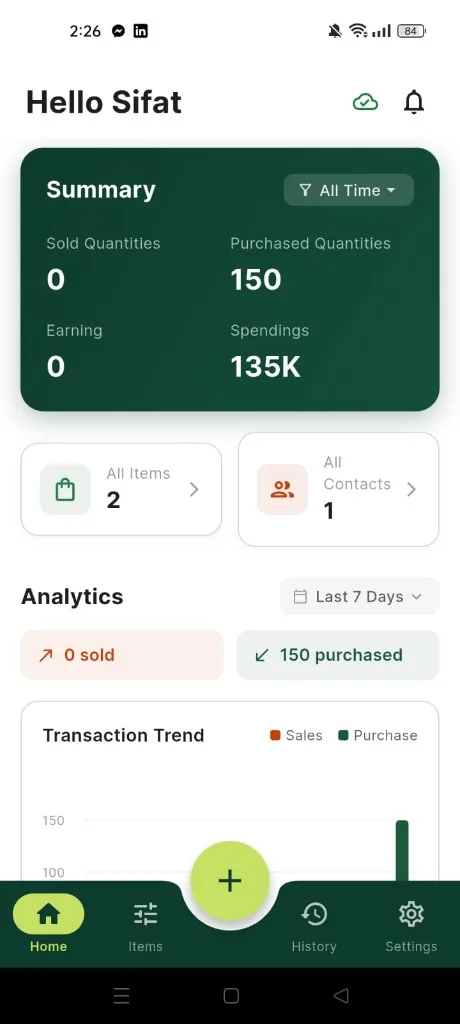
Get an instant snapshot of sold vs purchased quantities, earnings, and spendings — plus clean analytics for recent performance.
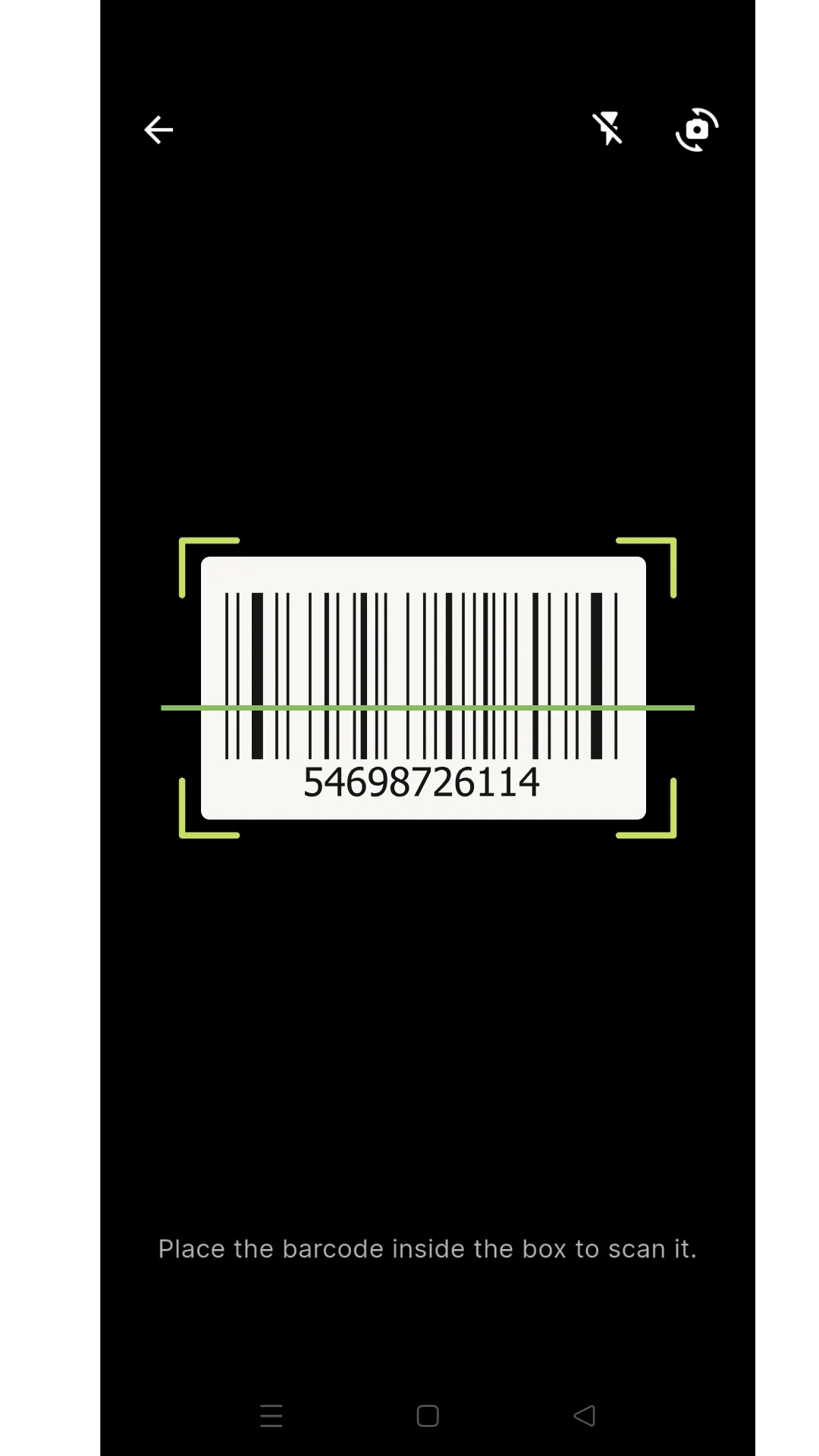
Find any product fast with search, then scan barcodes to pull up the right SKU in seconds.
Get an instant snapshot of sold vs purchased quantities, earnings, and spendings — plus clean analytics for recent performance.
Find any product fast with search, then scan barcodes to pull up the right SKU in seconds.
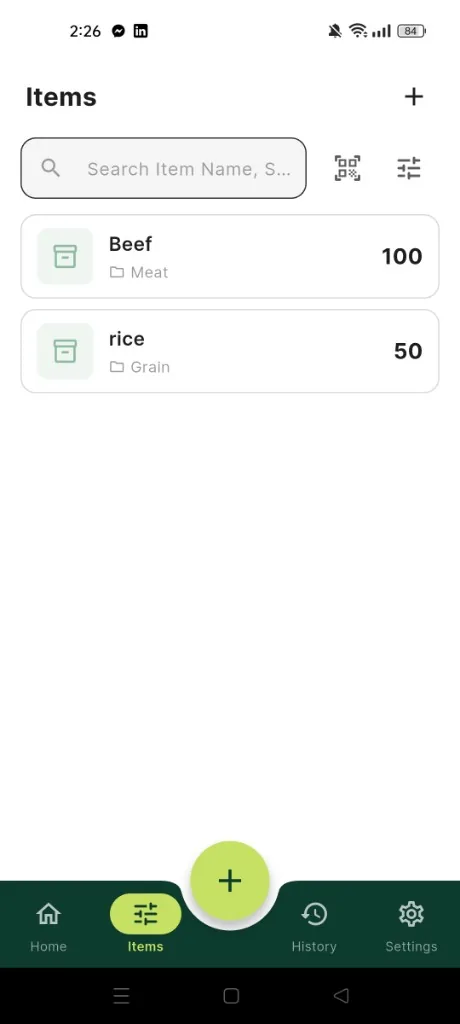
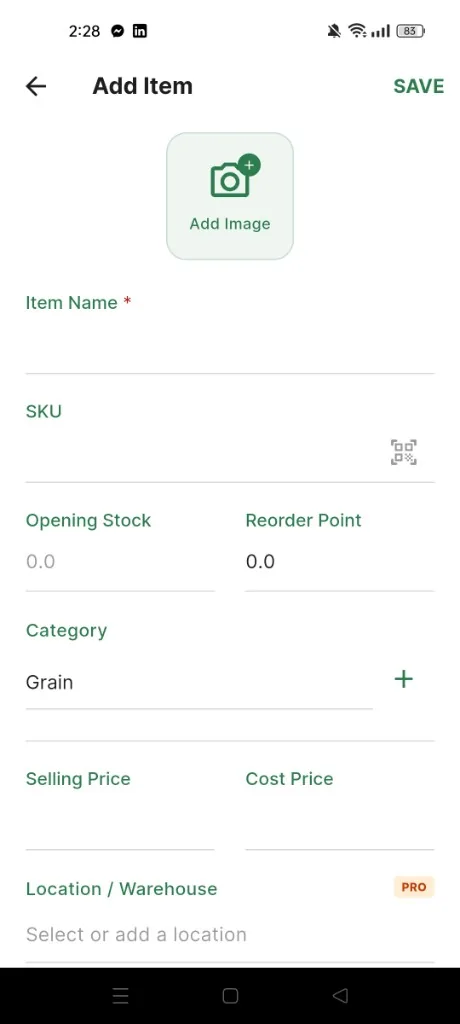
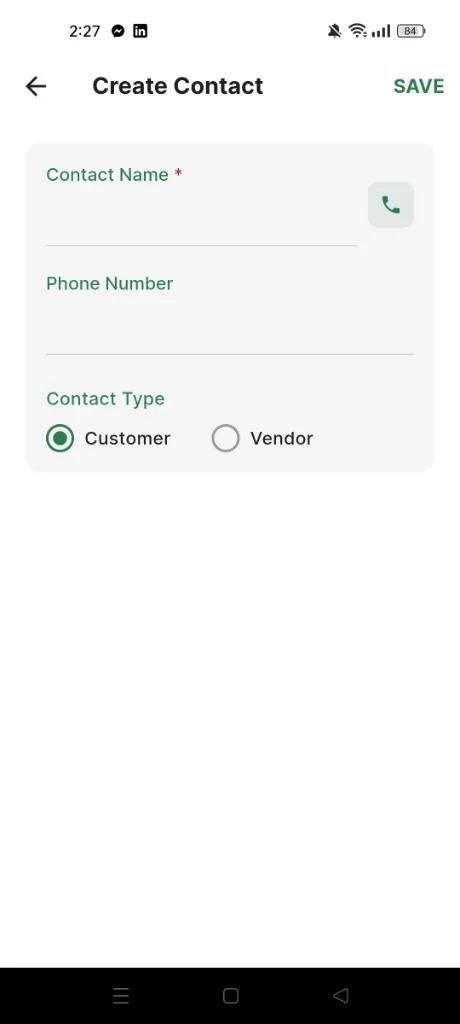
Add items with SKU and pricing, update stock as it moves, and keep customers and vendors organized as you grow.
Built for speed: the essentials are always one tap away, without extra clutter.
Add items with SKU and pricing, update stock as it moves, and keep customers and vendors organized as you grow.
Built for speed: the essentials are always one tap away, without extra clutter.
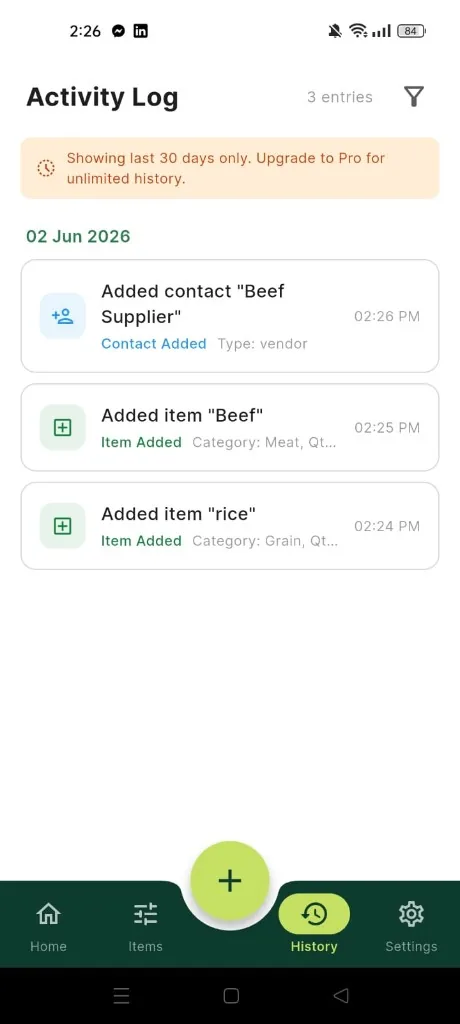
Every key action is logged so you can confirm what changed and when — ideal when more than one person manages stock.
Scan recent activity to spot mistakes early and keep your numbers accurate.
Every key action is logged so you can confirm what changed and when — ideal when more than one person manages stock.
Scan recent activity to spot mistakes early and keep your numbers accurate.
From sign-up and organization setup to inventory, analytics, contacts, and activity history — matching the Android app (v1.0.0). Pro Plus adds PDF reports, backup, and advanced insights.
Sign up with email or Google, verify your email, and set your organization profile with business name, country, and currency.
Add items with images, SKU, barcode, and prices. Scan barcodes, record stock in/out/adjustments, and view profit margins.
Sold and purchased quantities, earnings, spendings, stock value, and a sales vs. purchases chart. Free: Last 7 Days; Pro: Today, 30 Days, and All Time.
Customers and vendors with filter, sort, and search. Pro unlocks bulk import from your phone contacts.
Log of items, stock, contacts, and categories with filters and date groups. Free keeps 30 days; Pro is unlimited.
Use your phone camera to scan product barcodes when adding or finding items.
Real-time cloud sync across devices. Work offline; changes upload automatically when you reconnect.
Organization profile, categories, dashboard display options, below-zero stock guard, diagnostics/crash privacy, feedback, and account delete.
Quick answers about sign-in, inventory, dashboard analytics, and Pro plans.
Sign up with email and password or Google Sign-In, then verify your email before using the app. Forgot-password and reset flows are built in. Your session stays persisted when you reopen the app, and sign out clears both Firebase and Google sessions.
After sign-up, set your organization profile with business name, country, and currency. This drives pricing, reports, and dashboard totals. Data syncs to Firebase with offline support — queued changes upload when you are back online.
Add items with image, name, SKU, barcode, category, unit, buy/sell prices, and optional reorder point. Scan barcodes with your camera or search by name, SKU, or barcode. Open any item for pricing, stock history, and profit margin. Record Stock In, Stock Out, and Adjustments from the item page or quick actions.
Yes. Use the app without a connection — add items, record stock movements, and browse your catalog. The app shows “Offline — changes will sync when online” and uploads automatically when connectivity returns.
The dashboard summarizes sold and purchased quantities, earnings, spendings, total items, contacts, and current stock value, with a bar chart comparing sales vs. purchases. Free accounts use Last 7 Days; Pro unlocks Today, Last 30 Days, and All Time ranges.
Add customers and vendors from Contacts, filter by type, sort by name or date, and search by name or phone. Pro users can bulk-import phone contacts as customers or vendors (READ_CONTACTS permission required).
Every action is logged — items, stock changes, contacts, and categories — with filters and date grouping. Free accounts see the last 30 days; Pro includes unlimited activity history.
Edit your organization profile, manage categories, and set preferences: show low-stock or zero-stock items on the dashboard, display pricing on item tiles, prevent below-zero stock, and control diagnostics/crash reports. You can send feedback, rate the app, reset data, or delete your account.
Pro adds CSV export and share, all analytics date ranges, low-stock alerts at reorder points, phone contact import, unlimited activity history, advanced filter/sort/group-by, multi-location (warehouse) tracking per item, and financial reports including profit/loss and stock value by category.
Pro Plus includes everything in Pro, plus item expiry dates, supplier info, custom notes, professional PDF inventory reports, cloud backup snapshots with restore, advanced analytics (top-selling and slow-moving items, category insights, stock turnover), and bulk multi-select for delete, stock changes, and category reassignment.
Yes. Free includes unlimited items and categories, barcode scanning, stock movements, contacts, cloud sync with offline support, dashboard analytics for the last 7 days, and 30-day activity history. Upgrade to Pro or Pro Plus when you need exports, full analytics, alerts, locations, or PDF/backup tools.
The current release is Android 7.0+ (API 24+), version 1.0.0, package fluvosoft.com. Download the APK from this page for early access while Google Play listing is prepared. Sign in with the same Firebase account to keep inventory in sync across Android devices.
Tap Download APK on this page, allow installs from your browser or files app if prompted, then open inventory-stock-tracker.apk. You need Android 7.0 or newer. For production updates, use Restore Purchase in the app after subscribing through Google Play when the store listing goes live.
Core inventory tools are free on Android. Pro and Pro Plus subscriptions match in-app plans — restore purchases after installing from Google Play when available.
Inventory Stock Tracker
Full access to inventory, stock tracking, contacts, and cloud backup — at no cost.
Growing businesses
Exports, full analytics, alerts, locations, and financial reports.
Advanced operations
Everything in Pro, plus PDF reports, cloud backup, and bulk analytics tools.
| Feature | Stock Tracker | Typical apps |
|---|---|---|
| Monthly cost | Free · Pro $4.99 · Pro Plus $9.99 | $15–$50/mo |
| Unlimited items (Free) | Included | Often capped |
| Barcode scanning | Included on Free | Often Pro only |
| Offline + cloud sync | Included on Free | Varies by plan |
| CSV export | Pro | Often Enterprise |
| PDF reports & cloud backup | Pro Plus | Rare on mobile |
FluvoSoft Softwares — Manage your inventory with ease. Subscriptions are managed in-app (Android 7.0+, v1.0.0). Prices may vary by region and store.